What I Have a Dream is
I Have a Dream is a web tool that makes faceless social videos from text. You give it a few words, a paragraph or a link. It writes a script, generates images to match, adds an AI voiceover and subtitles, edits it all together and hands you an MP4.
Its own FAQ describes it as “a fully automated AI-generated short video creation tool, from scriptwriting to images, sound, subtitles, and video editing.” The pitch on the homepage is that you get a ready-to-post video in about three minutes of work.
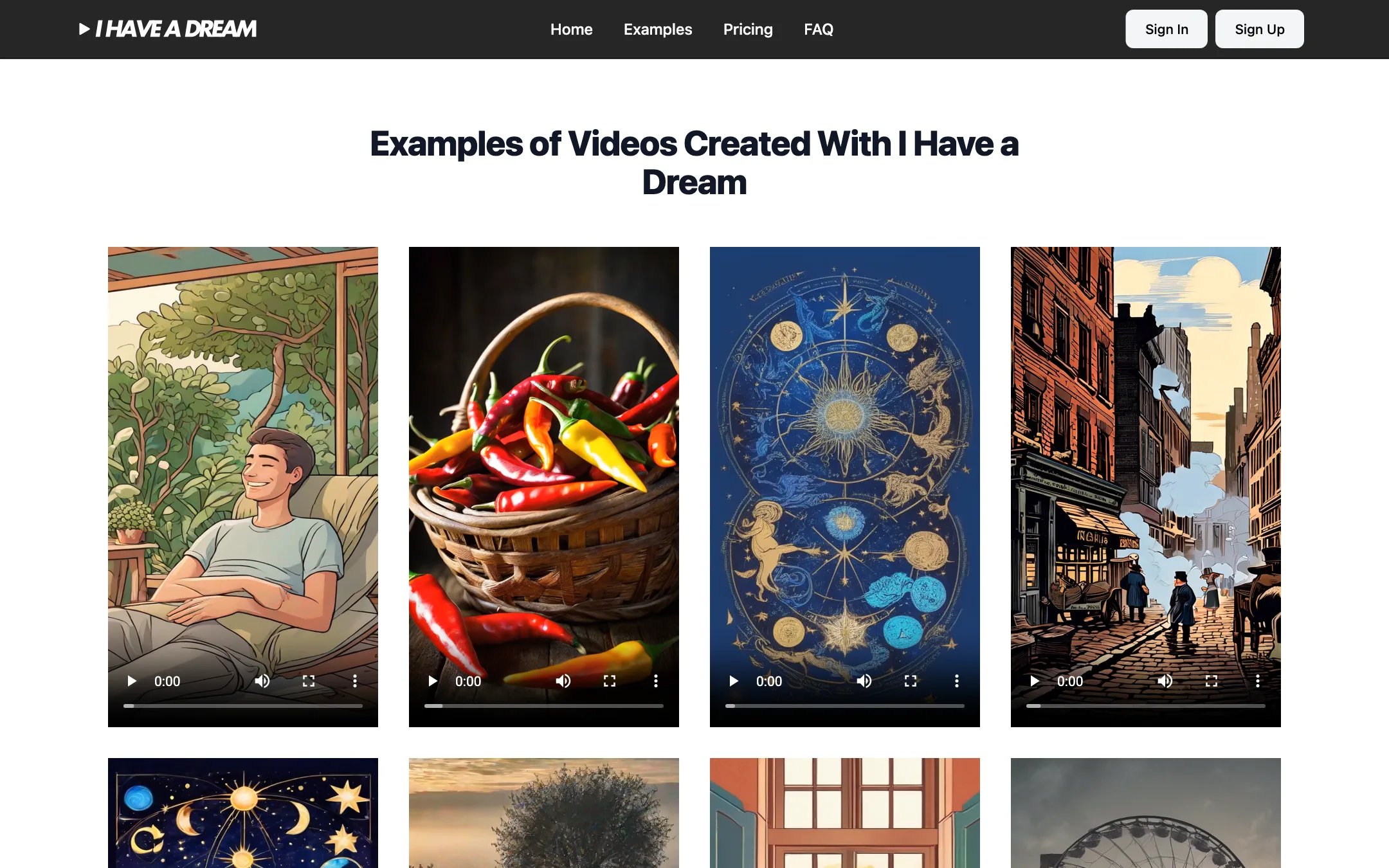
It is important to be clear about what kind of “text-to-video” this is. Tools like PixVerse, Veo and Kling generate moving footage from a prompt. I Have a Dream generates still images and edits them into a narrated video, the format you see on many faceless TikTok and Shorts channels. The example videos on its site are illustrated, vertical shorts with voiceover. That is a useful product, but it is a different one.
It is one of the more-clicked text-to-video tools among our readers. It would also fit our short-form clips category, since short social videos are its only output.
Who it is for
I Have a Dream fits you if:
- You run, or want to start, a faceless channel on TikTok, Reels or YouTube Shorts.
- You post facts, stories, quotes, horoscopes, history or product explainers that work as narration over pictures.
- You want to post in several languages without hiring voice talent.
- You want zero editing. You choose settings, and the tool does everything else.
Skip it if:
- You need real generated motion, like a camera move or a character walking. Use a model-based generator.
- You want videos longer than two minutes.
- You want to test properly before paying. There is no free version.
- You need fine control over each shot, transition or timing.
How it works
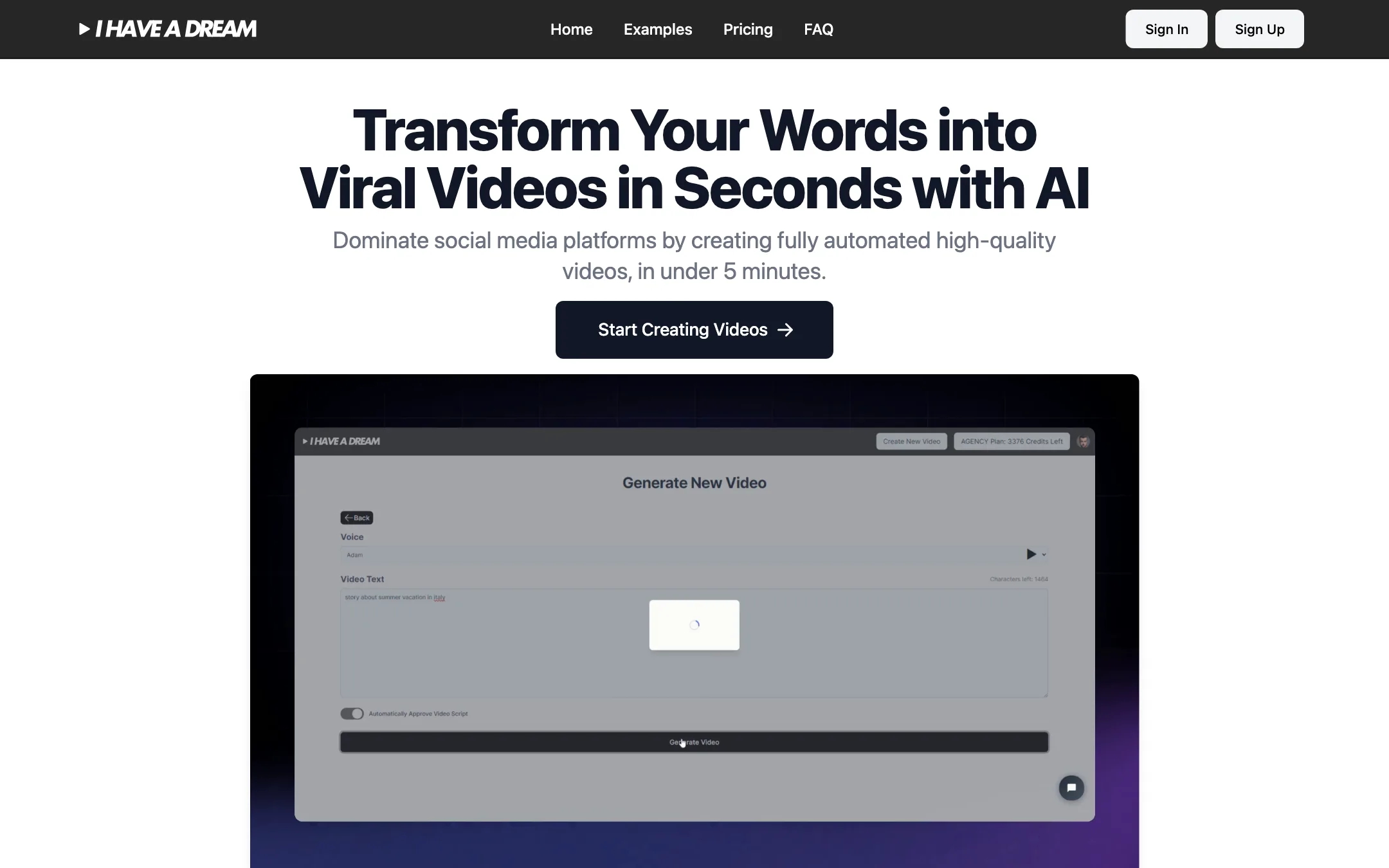
The homepage shows a demo of the core screen, “Generate New Video.” It is a short form: pick a voice, paste your text, choose a few options, and press Generate. The FAQ says you sign up, click “Create a video” and follow the steps.
Here is what the tool handles, according to its own pages:
Script
You enter raw text, a sentence or a link. I Have a Dream says it combines AI with input from copywriting experts to turn that into an effective script, from storytelling and product descriptions to current news. You do not have to write the script yourself, though you can paste your own text.
Images
Images are generated automatically to match the script. The site says it offers three image models and twenty styles, and that you do not need to write any image prompts. It does not name the models. Its content FAQ mentions working with AI providers “such as OpenAI” for script and image generation, and says their content rules apply. Topics involving sex, violence or scams will be blocked.
Voice and subtitles
You pick a language and a voice. The FAQ says more than 30 languages are available. Subtitles are generated automatically, and you can choose colours and fonts so your videos match a channel look.
Formats and length
You pick one of five aspect ratios:
- 1:1 for Instagram, Facebook and X
- 2:3 and 4:5 for Facebook
- 9:16 for TikTok, Reels and Shorts
- 16:9 for YouTube
You also pick one of three lengths: 30 to 60 seconds, 60 to 90 seconds, or 90 to 120 seconds.
Export and sharing
Videos download as MP4 with no watermark. You can also share a video through an online link.
A typical run
- Decide on the topic and the platform.
- Paste your text or a link into Generate New Video.
- Choose the language and voice.
- Pick an image style, the aspect ratio and a length range.
- Set subtitle colours and fonts if you want a consistent look.
- Generate, then download the MP4 and post it.
If a video fails because of a bug or a blocked keyword, the FAQ says the credits are returned automatically.
Output quality
We did not generate a video, so we cannot judge the quality of the scripts, images or voices first-hand. From the site:
- The format is narrated stills. The examples are illustrated vertical videos with play controls, consistent with AI images edited to a voiceover.
- Style range is decent on paper. Twenty image styles across three models gives you room to give a channel its own look.
- Script quality is the big unknown. Faceless channels live or die on the hook and the script. Read and edit what the tool writes before you post.
- Automation cuts both ways. You save time, but you also give up control over pacing, image choice and timing.
The marketing leans on “viral” and “dominate social media.” No tool can promise views. Treat those as slogans.
Tips for faceless channels
Automation gets you a video. It does not get you an audience. If you use I Have a Dream for a channel, these habits matter more than the tool:
- Write or edit the first line yourself. The first two seconds decide whether people keep watching. Paste your own hook at the top of the text instead of trusting a generated one.
- Pick a lane. Faceless channels that stick to one topic and one visual style tend to build a recognisable look. Choose one of the twenty image styles and keep it.
- Set your subtitle look once. Pick colours and fonts that read well on a phone and use them on every video.
- Match the length to the platform. The 30 to 60 second option suits most Shorts and Reels. Save 90 to 120 seconds for topics that need it, since every second costs a credit.
- Check facts. If you post history, science or news, read the script before you publish. AI scripts can state wrong things with confidence.
- Read the platform rules. TikTok, YouTube and Instagram have rules on AI-generated content and on reused, low-effort content. Mass-produced videos with no added value can be limited from monetisation. Keep your videos original and useful.
How it compares
I Have a Dream competes with two kinds of tools.
Faceless short makers do roughly the same job: script, images or stock footage, voiceover and captions. They often add auto-posting, series scheduling or stock video. I Have a Dream’s selling points are simplicity, five aspect ratios and simple per-second pricing.
Model-based video generators like PixVerse, Veo and Kling make real moving footage from a prompt. They are better when you need motion, but you get one short clip at a time, with no script, voiceover or captions. To build a narrated video from them you still need an editor.
If your content is narration over pictures, I Have a Dream is the more direct route. If your content needs motion, it is the wrong tool.
Pricing
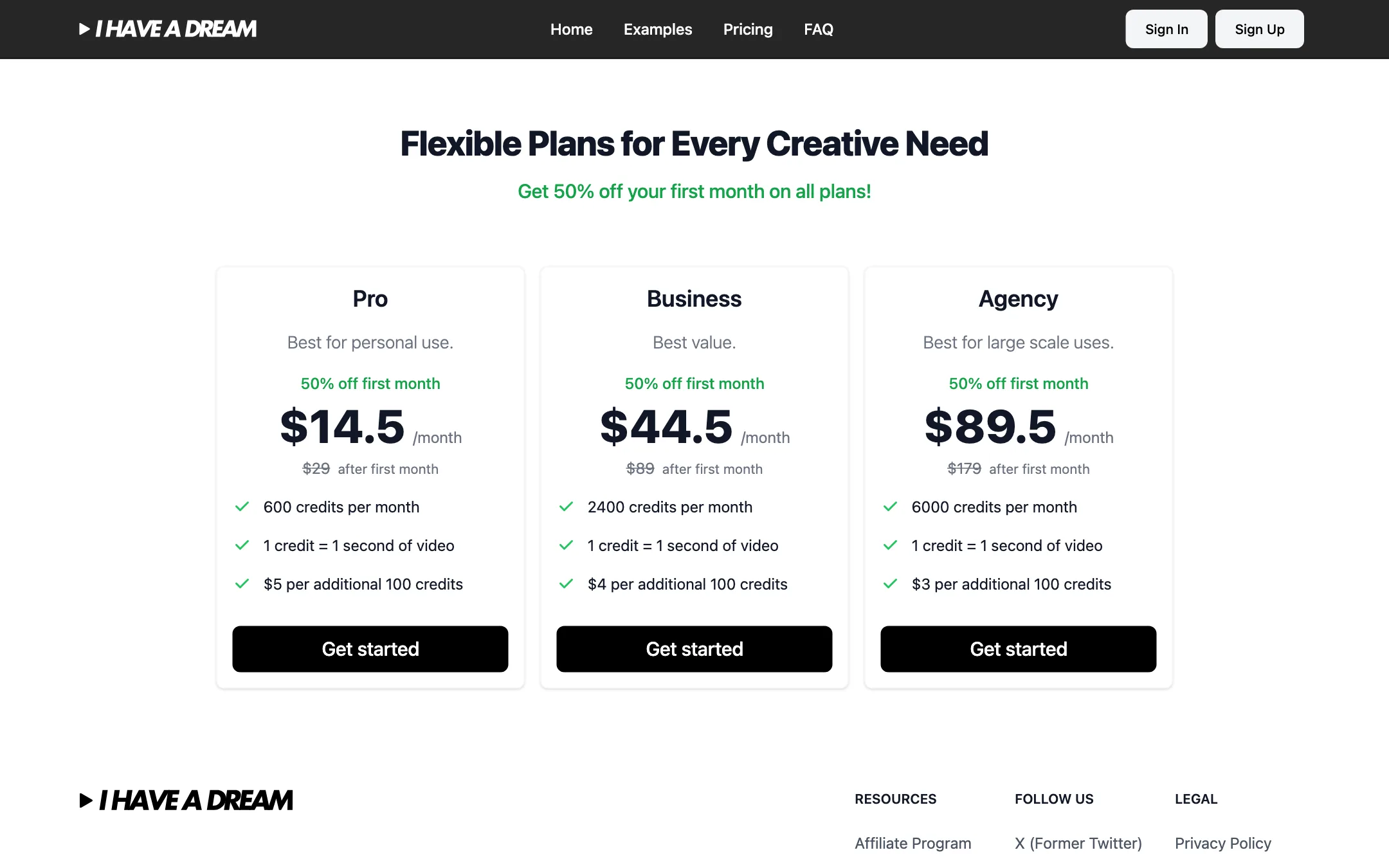
I Have a Dream uses credits, and the math is simple: one credit equals one second of finished video. Prices were checked on 2026-10-19.
| Plan | Price | Credits | Extra credits |
|---|---|---|---|
| Pro | $29/mo ($14.50 first month) | 600 a month (10 minutes of video) | $5 per 100 |
| Business | $89/mo ($44.50 first month) | 2,400 a month (40 minutes) | $4 per 100 |
| Agency | $179/mo ($89.50 first month) | 6,000 a month (100 minutes) | $3 per 100 |
There is no yearly option shown and no free version.
What it works out to
- Pro: $29 for 600 seconds is about $2.90 per one-minute video, or ten one-minute videos a month.
- Business: $89 for 2,400 seconds is about $2.23 per minute.
- Agency: $179 for 6,000 seconds is about $1.79 per minute.
If you plan to post one 60-second video every day, you need about 1,800 credits a month. Pro plus top-ups would cost $29 plus about $60 in extra credits, so Business is the better fit at that volume.
Odd details
The FAQ’s cost example still says “a complete 45-second video on the Business plan at $149/month would cost $2.80.” The pricing page lists Business at $89. The FAQ is out of date. Go by the pricing page.
Refunds and cancelling
The FAQ says you can request a refund within 7 days of purchase, excluding credits you have already used. You can cancel at any time, effective at the end of your billing period, by contacting customer service. You can upgrade or downgrade from your account settings. Payment is by card through Stripe.
Verdict
I Have a Dream does one thing: it turns text into a narrated, captioned, illustrated short with almost no effort. For faceless channels that publish volume in several languages, that is a real time-saver, and the one-credit-per-second pricing is easy to plan around.
Know what you are buying. This is not motion video generation, videos stop at two minutes, and there is no free way to test it. The half-price first month is the cheapest way to find out whether its scripts and images are good enough for your channel.