
What Listnr is
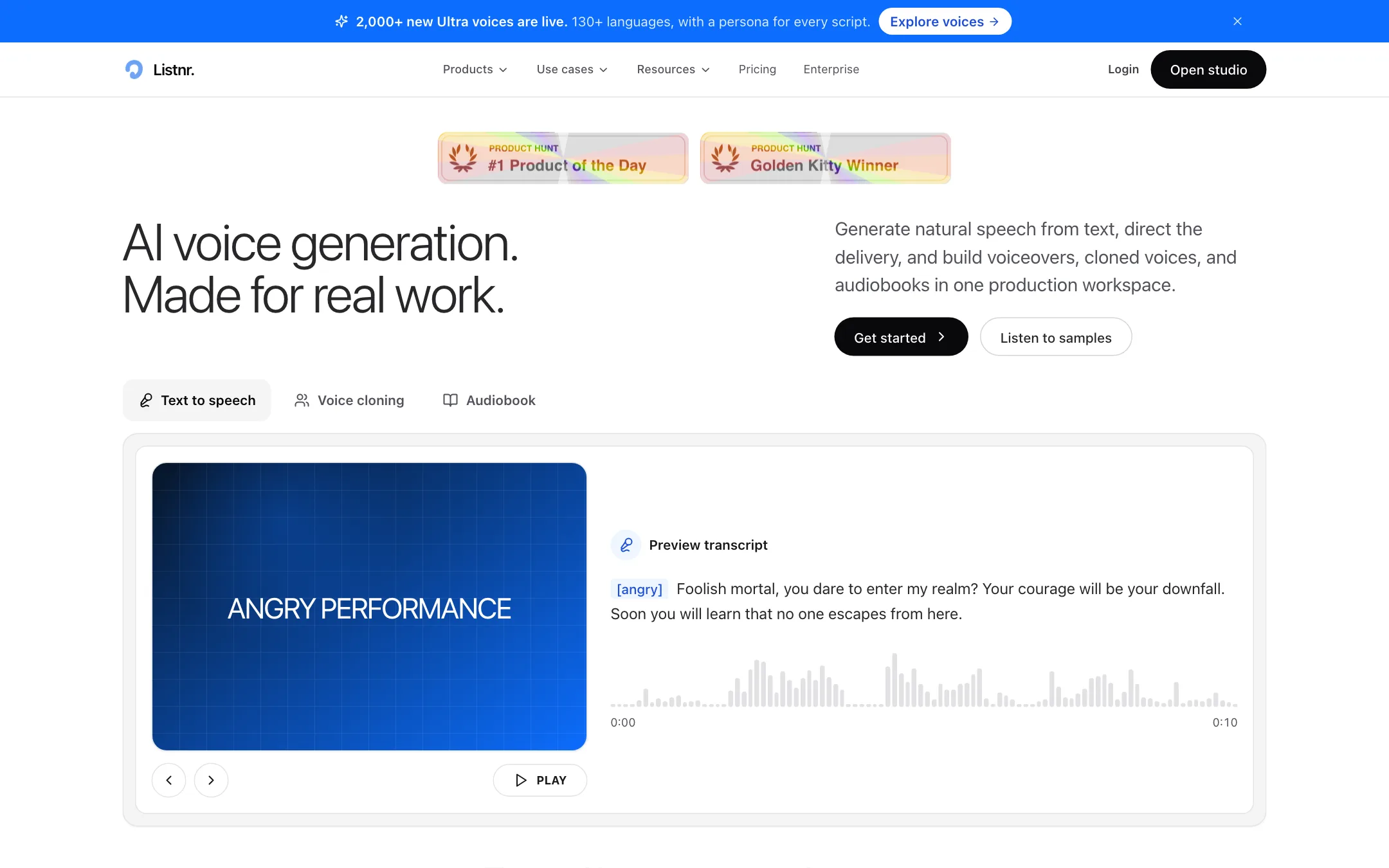
Listnr is an AI voice generator. You paste a script, pick a voice and get back narration you can drop into a video, podcast, course or ad. It also clones voices, so you can generate new lines in your own voice without recording them.
It sits in our dubbing and voice category, but it is worth being clear about what it is. Listnr is a text-to-speech studio first. It does not take a finished video, translate it and lip-sync the speaker the way a dedicated dubbing tool does. It makes the voice track. You put that track into your video in CapCut, Premiere, Resolve or whatever editor you already use.
Listnr says it has 3.5 million users in 150+ countries. It has won Product Hunt’s #1 Product of the Day and a Golden Kitty award, both shown on its homepage.
Who it is for
Listnr fits you if:
- You make faceless YouTube videos, explainers or tutorials and need narration without recording it yourself.
- You build online courses and want consistent voiceovers that are easy to update when a lesson changes.
- You run ads or product demos and want to try several voices and reads quickly.
- You want to clone your own voice so you can fix or add lines without a new recording session.
- You produce audiobooks or podcasts with more than one speaker.
Skip it if:
- You want the tool to handle the whole video. Listnr makes audio. Pair it with an editor or a video generator.
- Your main job is translating existing videos with the original speaker’s voice and lip sync. That is a dubbing tool’s core feature and only a side page here.
- You need a voice you can use commercially for free. The free plan has no commercial rights.
How it works
Everything happens in Listnr Studio in the browser. Listnr describes it as working like a document editor.
Writing and voicing a script
- Paste or import your script. Listnr lists multi-format import for scripts and long drafts.
- Split it into blocks. Each block can be a scene or a speaker.
- Assign a voice to each block. The library can be filtered by language, accent, gender and style, and you can preview voices before you choose.
- Shape the delivery. Add a style prompt such as warm, calm, confident, excited or narrator. Drop in inline tags like [laughs], [whispers], [sighs], [angry], [excited] or [sarcastic]. Add pauses and adjust speed and emphasis.
- Preview, then regenerate any single line that sounds wrong without redoing the rest.
- Export the audio. Listnr’s video creator page lists MP3 and WAV.
Two features matter more than they first appear. Per-line regeneration saves credits, because you only redo the sentence that came out flat. Custom pronunciations keep names, brand terms and jargon consistent across every project, which is the most common giveaway that a voiceover is synthetic.
Listnr notes that emotion and style controls vary by voice. Not every voice supports every tag, so test the voice you like with the delivery you need before you write a full script around it.
Voice cloning
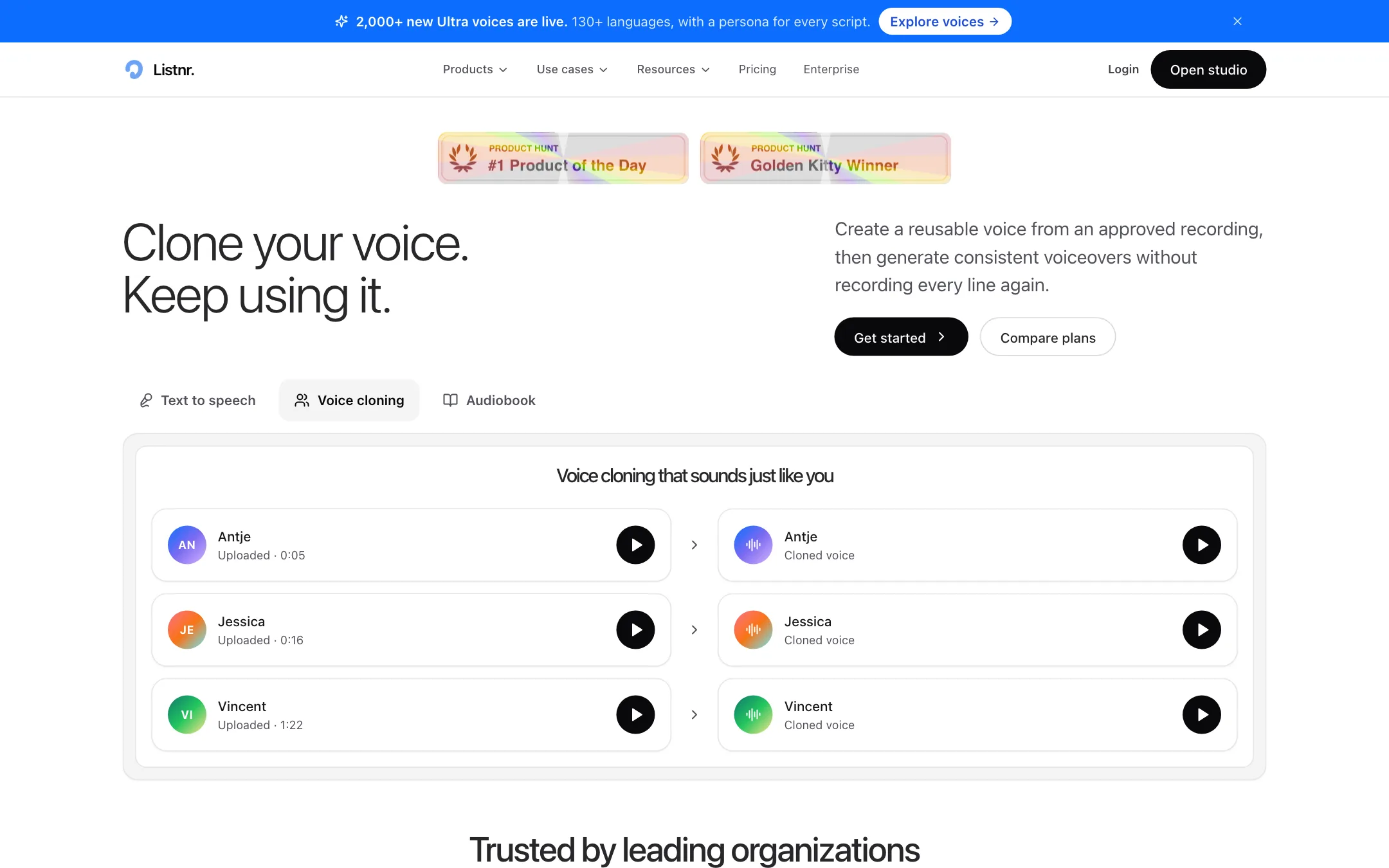
On paid plans you can clone a voice. You record or upload a short sample, and Listnr says a clone takes about 30 seconds of audio. It recommends clear audio with little background noise.
Listnr frames cloning as consent-led. You should only clone a voice you own or have permission to use. The cloning page says clones can speak across its 142+ languages while keeping the original voice’s character, and that you can delete or change your voice models at any time.
Dubbing and the free tools
Listnr runs a large set of free browser tools alongside the studio: a subtitle generator, a video-to-text transcriber, an audio translator, a text translator and an AI dubbing page. The dubbing page lets you upload audio or video, choose source and target languages from about 30 options, and translate.
The dubbing page is thin on detail. Its how-it-works steps describe proofreading a transcript and exporting it as TXT, DOCX, XLSX, PDF or SRT, and it does not explain how the dubbed voice track is produced or whether lip sync is applied. Treat it as a bonus. If dubbing is your main need, compare a dedicated dubbing tool before you decide.
The paid plans also list a monthly allowance of videos, from 50 to 250. Listnr’s pricing page does not explain what counts as a video, so ask support if that allowance matters to you.
Output quality
We have not generated voiceovers in Listnr ourselves, so we cannot rank its voices against ElevenLabs, Murf or others. Here is what Listnr claims and what to check.
- Voices. The homepage says 1,000+ ultra-realistic voices. A banner on the same page says 2,000+ new Ultra voices are live. Expect the number to keep moving.
- Languages. The homepage and pricing say 142+ languages and accents. The site banner says 130+ and the translator page says 150+. The core languages are covered either way. If you need a less common one, preview it first.
- Context awareness. Listnr says its voices read surrounding lines before generating speech, so emphasis and pacing land in the right places. That is the right goal for long-form narration. Judge it on a full paragraph of your own script, not a single line.
- Samples. The homepage sample reads are pre-recorded, as Listnr itself notes. They show what the voices can do with a well-chosen script, not what every voice does on every script.
User reviews quoted on the site, drawn from G2, praise the natural voices, the language choice and responsive support. They are hand-picked by Listnr, so treat them as marketing rather than an independent test.
Making AI narration sound less synthetic
A few habits help with any voice generator, Listnr included:
- Write for the ear. Short sentences, contractions and plain words read more naturally than written-style prose. Read your script out loud once before you paste it in.
- Spell out numbers and acronyms the way you say them. “Twenty twenty-six” and “S-Q-L” avoid odd readings. Or add them as custom pronunciations once and reuse them.
- Use pauses on purpose. A short pause before a key point does more than any emotion tag.
- Pick one voice and stick with it. Changing narrators between videos breaks the feel of a channel or a course.
- Regenerate lines, not scripts. If one sentence lands wrong, redo that sentence only. It saves credits and keeps the rest of the take consistent.
Our advice: use the free 1,000 credits on your real script, in your real language, with two or three candidate voices. Ten minutes of testing will tell you more than any spec sheet.
Pricing
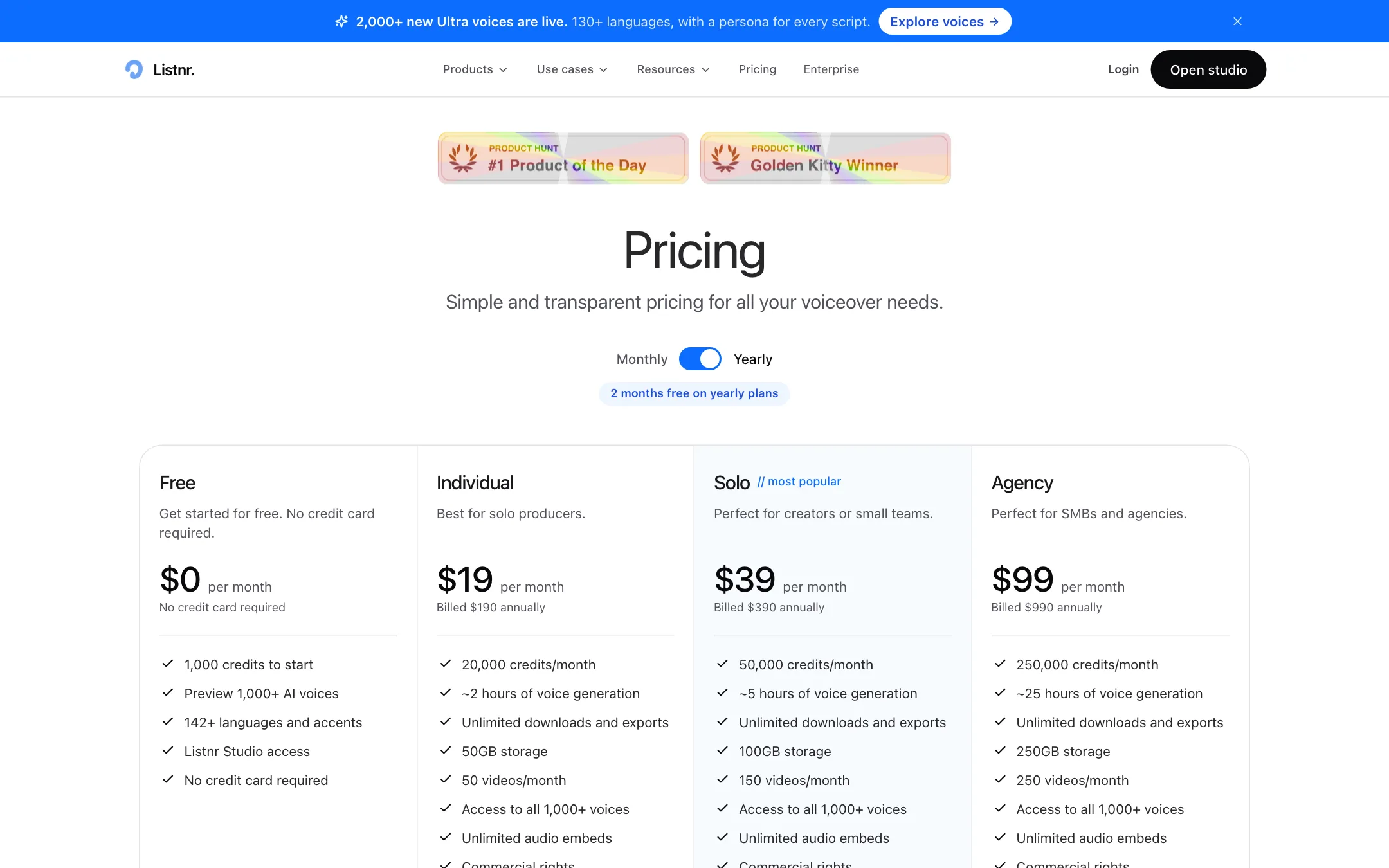
Listnr uses monthly credits. These prices were checked on the pricing page on 2026-10-19.
| Plan | Price | What you get |
|---|---|---|
| Free | Free | 1,000 starter credits, preview voices, limited downloads |
| Individual | $19/mo or $190/yr | 20,000 credits (about 2 hours), voice cloning, commercial rights |
| Solo | $39/mo or $390/yr | 50,000 credits (about 5 hours), more storage and videos |
| Agency | $99/mo or $990/yr | 250,000 credits (about 25 hours), priority support |
| Enterprise | Custom | Seats, volume pricing, API throughput, SSO |
A few things the pricing page does not make obvious:
- The free plan is for testing only. It has no commercial rights and limited downloads. Do not publish a monetized video with free-plan audio.
- Voice cloning starts on the cheapest paid plan. You do not need Solo or Agency to clone a voice, which is generous compared with many voice tools.
- Yearly is ten months. Listnr charges ten months up front on yearly billing, so $190 a year for Individual works out to about $15.83 a month.
- Hours are estimates. The hour figures are Listnr’s own conversions from credits. Regenerating lines uses more credits, so budget some headroom.
- No credit, no audio. When your monthly quota runs out you cannot generate until it resets, unless you buy extra credits or upgrade.
- Refunds are limited. Listnr says it generally does not refund partial months or used quota. If a technical problem blocks you, contact support in the first few days after purchase.
Listnr’s affiliate program pays 30% to 40% for 12 months. We note that for transparency. It does not change how we describe the tool.
Verdict
Listnr is a solid choice if you need AI narration for videos and want one place to write, voice and refine a script. The voice library is large, style prompts and inline tags give you real control over delivery, and voice cloning plus commercial rights come with the $19 Individual plan.
Know what you are buying. It is a voiceover tool, not a video tool and not a full dubbing pipeline. If you already edit your own videos and just need a voice track, it fits well. If you want to upload a finished video and get it back in Spanish with lip sync, start with a dedicated dubbing tool and keep Listnr in mind for fresh narration.