What DupDub is
DupDub is an AI content suite run by Mobvoi, a Singapore-registered company. It began as a text-to-speech tool and has grown into what it now calls an all-in-one content creation platform. One account gives you AI voiceovers, video translation and dubbing, talking photo avatars, transcription and subtitles, voice cloning, AI writing and a handful of smaller tools.
The key idea is a single credit balance. Every tool spends from the same pot, so you do not need separate subscriptions for voice, dubbing and avatars. That is DupDub’s main selling point and the main thing to understand before you buy, because different tools spend credits at very different rates.
We list it under dubbing and voice because that is where most of its tools sit. It also appears in our avatars category because of its talking photo and gesture avatar features.
Who it is for
DupDub fits you if:
- You make social or YouTube content and want voiceovers, subtitles and the occasional translated version without paying for three tools.
- You want to test dubbing your videos into a few big languages before you commit to a specialist.
- You like talking photos and simple avatars for intros, ads or explainers.
- You want a commercial license and API access on an entry-level plan.
Skip it if:
- Dubbing is your main job and you translate hours of video a month. The credit math gets expensive fast and a dedicated dubbing tool may give you more minutes per dollar.
- You need a long tail of target languages. Dubbing covers about 30 output languages.
- You need studio-grade avatars with full-body presenters. DupDub’s avatars are photo-based and gesture-based.
How it works
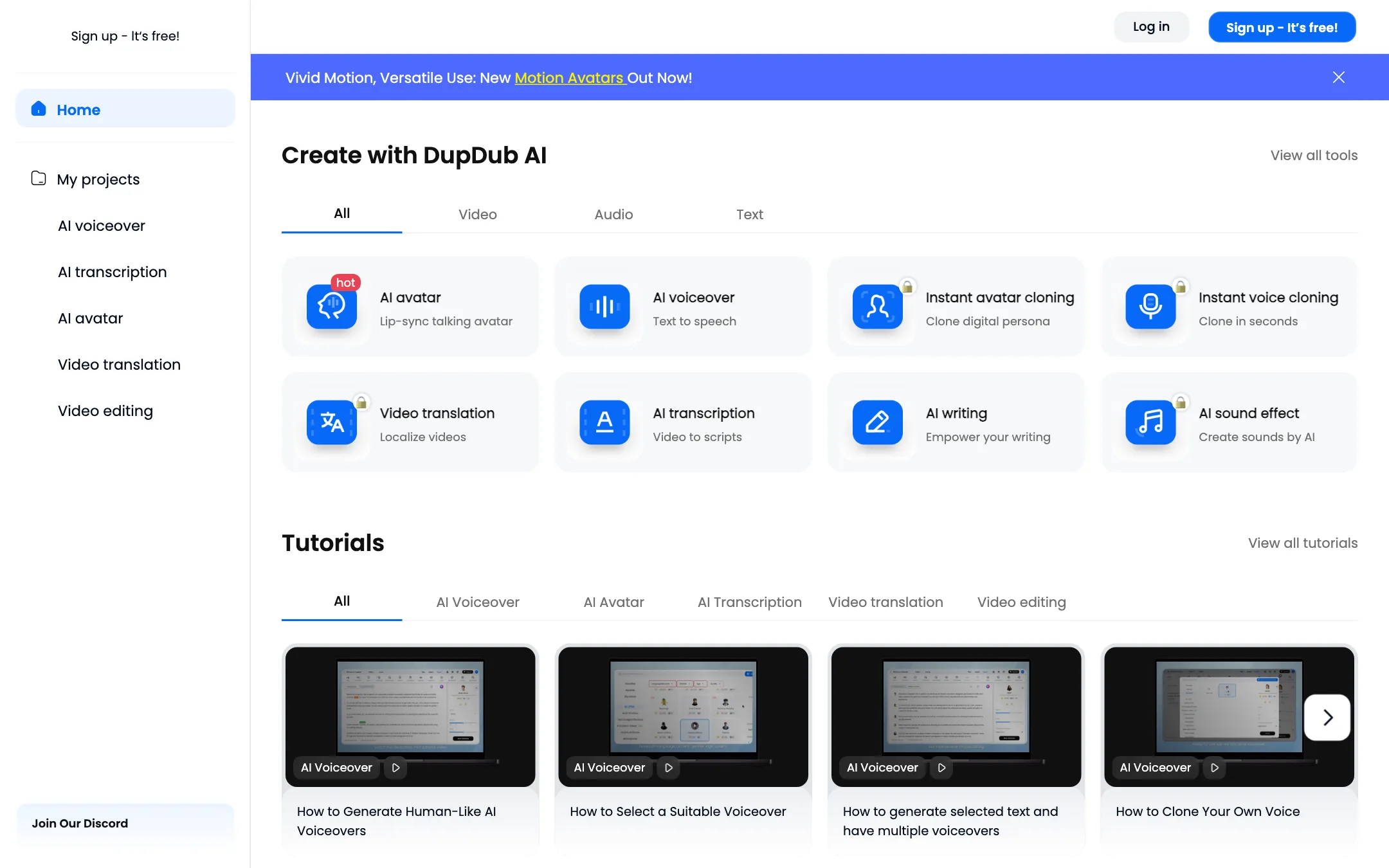
DupDub’s dashboard lists its tools in four groups: video, audio, text and add-ons. The dashboard itself is public, so you can look around before you sign up. Here is how the main tools work, based on DupDub’s product pages.
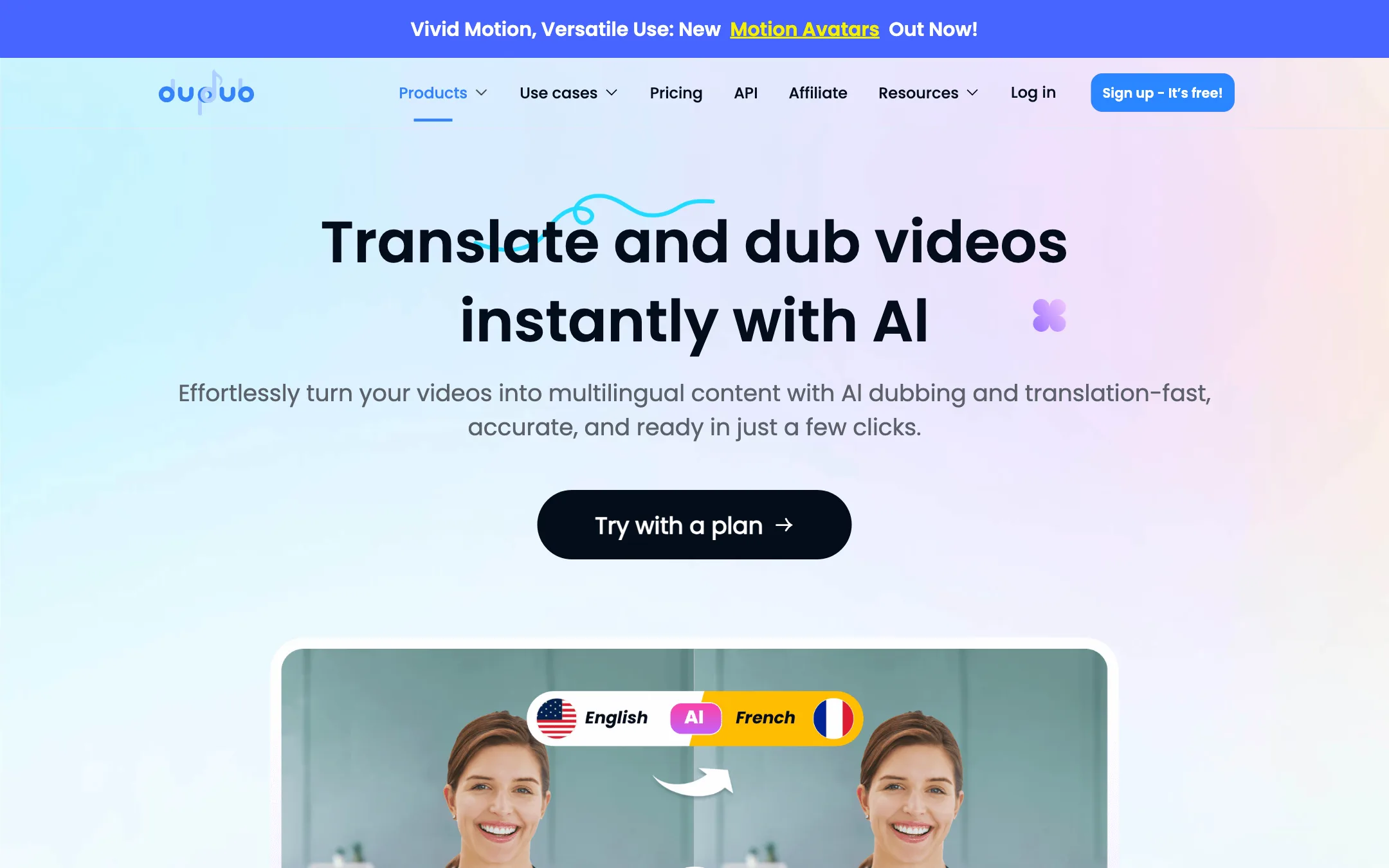
Video translation and dubbing
- Upload a video or paste a video URL. DupDub supports both.
- Choose the source and target languages. The page lists 50+ input languages and 30+ output languages.
- Click Translate. DupDub transcribes the speech, identifies each speaker, translates the script and generates a dubbed voice for each one.
- Edit the translated text and re-dub any line that is wrong.
- Optionally turn on lip sync, so mouth movements match the new audio, and subtitle removal, which strips burned-in captions from the original video.
DupDub says it preserves each speaker’s tone, emotion and delivery style, and that lip sync matches speech to mouth movements “with precision.” Those are vendor claims. Lip sync and subtitle removal each add 0.1 credits per second on top of the base translation cost, so turn them on only when you need them.
Text to speech
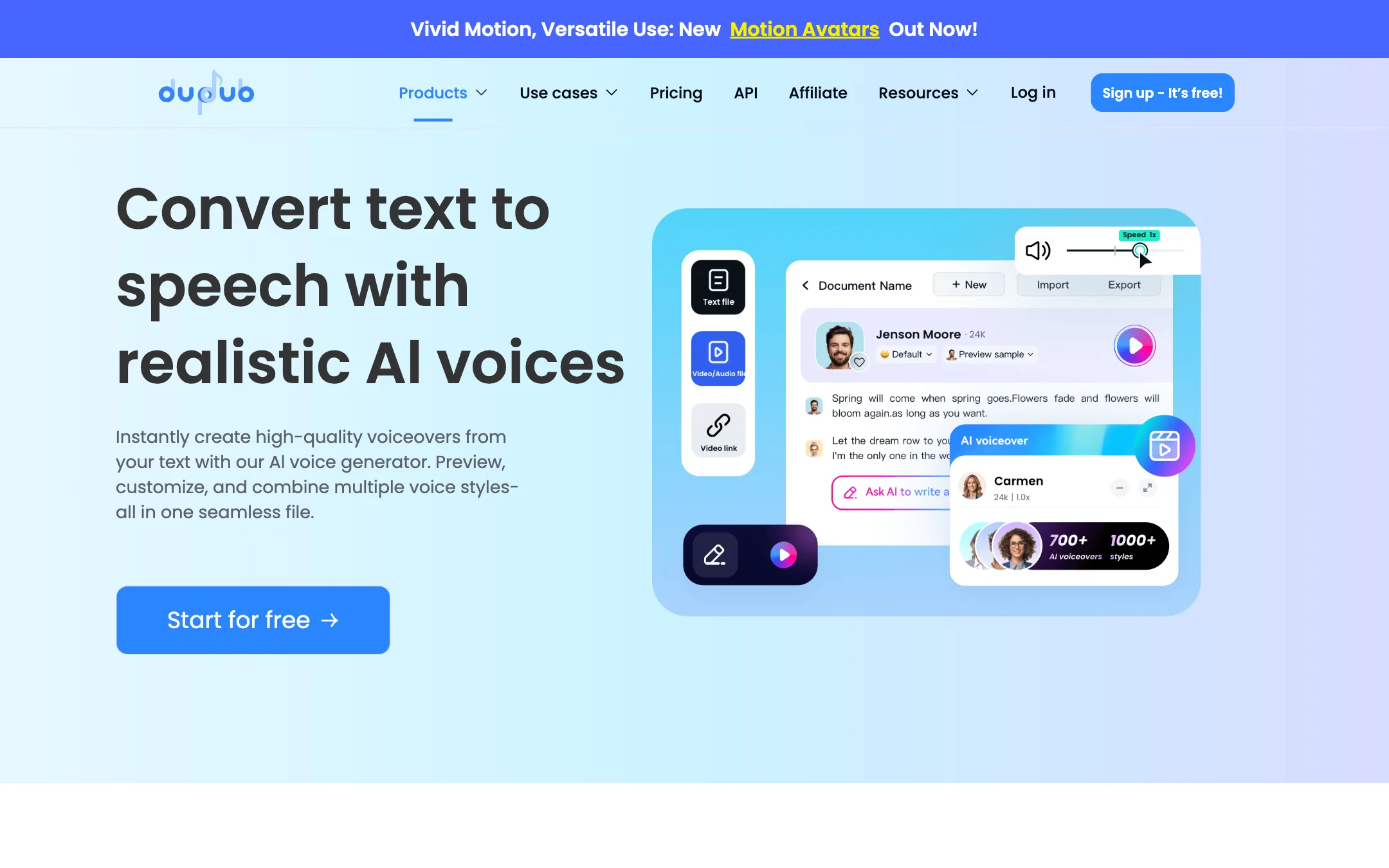
The voiceover tool is DupDub’s original product. It offers 700+ voices with 1,000+ voice styles across 90+ languages and accents. You can put several voices in one file, which suits dialogue, audiobooks with characters, and explainers with a host and a guest.
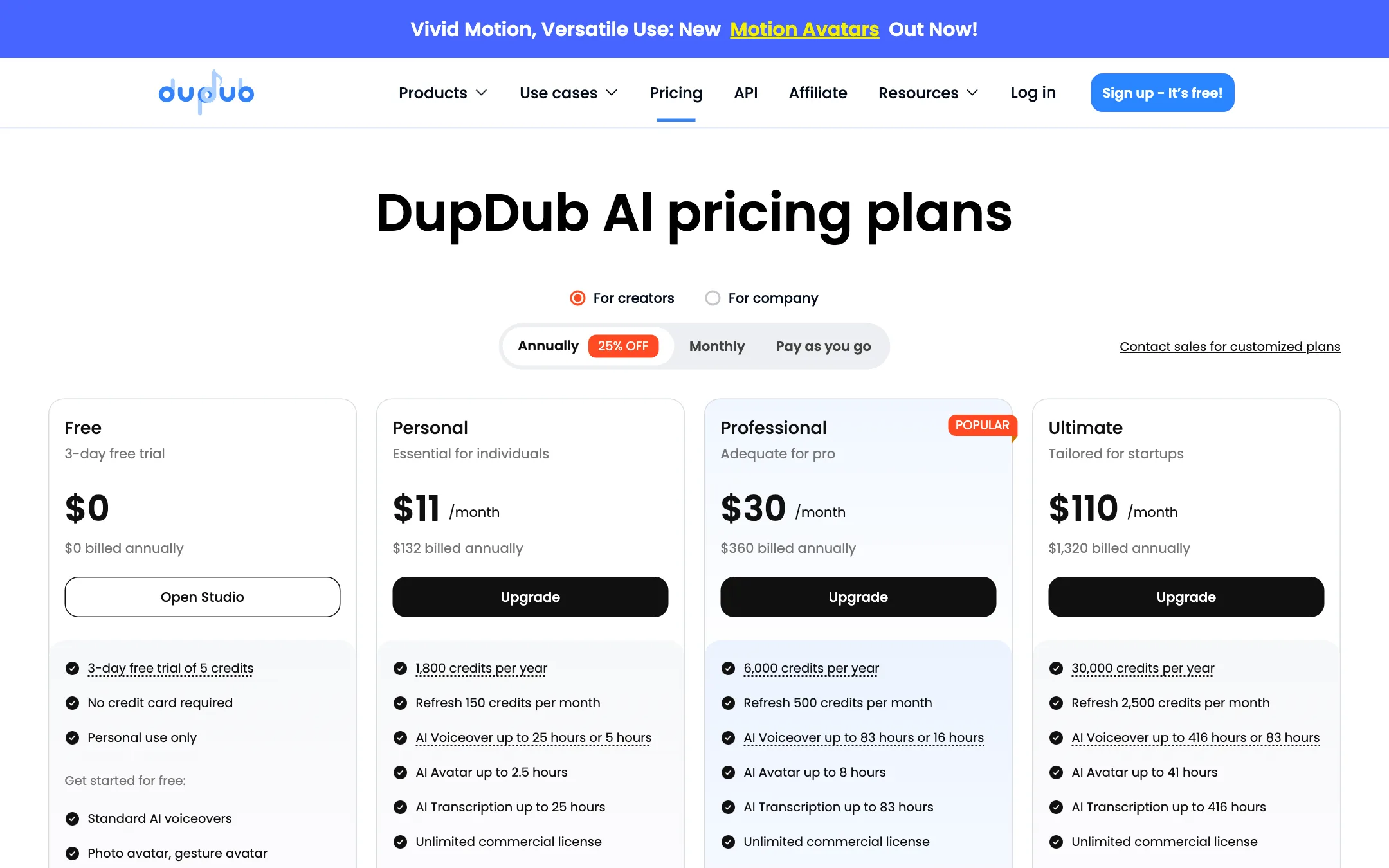
There are two voice tiers. Standard voices cost 0.02 credits per second. Ultra and Premium voices cost 0.1 credits per second, five times as much. The pricing page shows both figures, such as “up to 25 hours or 5 hours” on Personal, and the difference is exactly this tier.
Voice cloning is instant and comes in two flavors: cloning your voice in its own language, and cross-language cloning, where your cloned voice speaks another language. Personal includes 3 clones, Professional 5 and Ultimate 10.
Avatars
DupDub’s avatar tools turn a still photo into a talking video. You upload a photo or pick a template, add audio from your own recording or an AI voiceover, and generate. Gesture avatars add hand movements, and you can put several characters in one scene for a dialogue. DupDub recently added what it calls Motion Avatars. The talking photo feature is available on web, iOS and Android, according to the homepage.
Avatar videos are capped by plan: 3 minutes per video on Personal, 5 on Professional and 10 on Ultimate.
Transcription, subtitles and the rest
AI transcription supports 57 languages and powers auto subtitles in the video editor. Subtitle alignment syncs an existing script to audio. Around these sit smaller tools: AI writing, AI images, AI sound effects, screen and webcam recording, a video downloader and a background remover. There are also add-ons for Canva and ChatGPT, plus an API.
Output quality
We have not run our own videos through DupDub, so we cannot say how its dubbing compares with ElevenLabs, HeyGen or VideoDubber. What we can do is point out what to check.
- Voice choice is wide. 700+ voices and 1,000+ styles is a big library. Preview the specific voice you plan to use, in your target language, before buying.
- Dubbing languages are narrower than voice languages. The 90+ languages figure applies to voiceovers. Dubbing output is about 30 languages. Check yours is on the list.
- Lip sync quality varies with footage. Every lip sync model does best on a single, well-lit, front-facing speaker. Expect more errors with side angles, fast motion or several people on screen.
- Testimonials are curated. The homepage quotes users from marketing, education, audiobooks and podcasting. They are hand-picked by DupDub, and DupDub’s site footer still shows a 2024 copyright, so treat the marketing as a general picture rather than a current, independent test.
A sensible test plan if you pay for one month:
- Dub one 60-second clip into your main target language with lip sync off, then the same clip with lip sync on, and compare whether the extra credits are worth it.
- Generate the same paragraph with a standard voice and an Ultra voice to hear what the five-times price difference buys.
- Clone your own voice from a clean sample and try it in a second language.
- Run a 5-minute transcription in your language and count the errors you would need to fix.
The free trial gives you only 5 to 10 credits. At 12 credits a minute for video translation, that may not cover even one minute of dubbing. You can test a short standard voiceover for free, but to judge dubbing you will likely need a month on Personal or a small credit pack.
Pricing
DupDub prices everything in credits. These prices were checked on the pricing page on 2026-10-19.
| Plan | Price | What you get |
|---|---|---|
| Free trial | Free | 3 days, 5 to 10 credits, personal use only |
| Personal | $11/mo yearly, $15 monthly | 150 credits a month, 3 voice and avatar clones |
| Professional | $30/mo yearly, $40 monthly | 500 credits a month, 5 clones, priority generation |
| Ultimate | $110/mo yearly, $150 monthly | 2,500 credits a month, 10 clones |
| Scale | $3,000/yr | 12,000 credits a month |
| Credit packs | $68 to $698 | 500 to 6,000 lifetime credits |
What 150 credits a month buys on Personal, using DupDub’s own rates:
| Task | Credit cost | About this much on Personal |
|---|---|---|
| Standard voiceover | 0.02 per second | 125 minutes |
| Ultra or Premium voiceover | 0.1 per second | 25 minutes |
| Talking photo avatar | 0.02 per second | 12.5 minutes (capped by the 3-minute video limit) |
| Transcription | 0.02 per second | 125 minutes |
| Video translation | 0.2 per second | 12.5 minutes |
| Video translation with lip sync | 0.3 per second | about 8 minutes |
A few things the pricing page does not make obvious:
- Dubbing is the expensive tool. Video translation costs ten times what a standard voiceover does per second. If dubbing is why you are here, plan on Professional at least.
- Credits roll over. Unused credits carry into the next month, which softens the blow if you have a quiet month.
- The free trial numbers disagree. The annual tab says 5 credits and the monthly tab says 10. Either way, it is a taste, not a real trial of dubbing.
- Credit packs never expire. They are listed as lifetime credits, and 500 credits for $68 costs more per credit than Personal, but it suits occasional use.
- Refunds are tight. You can get a refund within three days of payment only if you have not used the product, minus a 5% processing fee.
DupDub’s affiliate program pays 20% recurring for 12 months. We note that for transparency. It does not change how we describe the tool.
Verdict
DupDub makes sense if you want a wide set of AI audio and video tools on one bill. Voiceovers, cloning, talking photos, transcription and dubbing all sit behind a single credit balance, credits roll over, and the Personal plan is cheap at $11 a month on yearly billing.
Go in with your eyes open on dubbing. At 12 credits a minute, plus more for lip sync, the entry plans give you only minutes of translated video a month. Pick a real clip, check that your target language is among the roughly 30 supported, and budget for Professional if translation is your main use. If you mostly need voiceovers, DupDub’s standard voices stretch your credits much further.