What invideo AI is
invideo started as a template video editor, then became famous for one trick: type a topic and get back a finished video with a script, stock clips, a voiceover and music. That tool, invideo AI, is still there. But the company has rebuilt itself around something bigger.
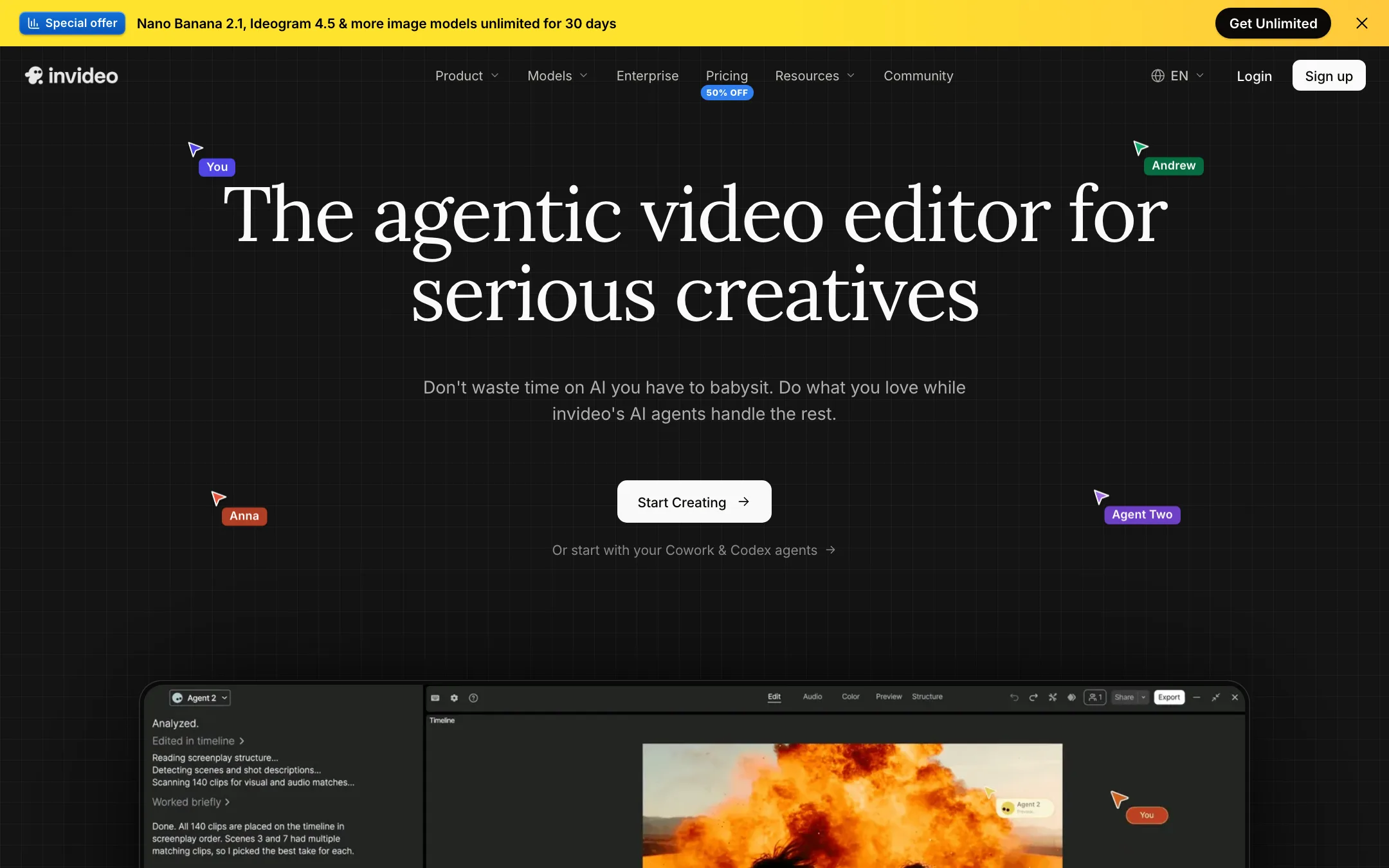
Today the homepage calls it “the agentic video editor for serious creatives.” The product is invideo Editor with Agent Two, an AI editing agent that works on a real multitrack timeline. You upload footage, describe the edit in plain words, and the agent cuts, captions, grades and mixes. You can take over at any frame.
On top of that, invideo bundles access to a long list of other companies’ models. Seedance, Google Veo 3.1, Sora 2, Kling, Wan, PixVerse and Hailuo for video. Nano Banana Pro, Ideogram, Seedream and Flux Kontext for images. ElevenLabs and MiniMax for voice. You pay for all of it in one pool of credits.
That is why we list invideo with video editors and cross-list it under text-to-video. It does both jobs, but the editor is now the center of the product.
Who it is for
invideo fits you if:
- You edit video every week and want an agent to handle the boring parts: rough cuts, removing pauses, captions, b-roll.
- You run marketing or social for a brand and need many versions of the same idea in different formats.
- You want to try several big-lab video models without a subscription to each one.
- You work with a small team and want shared projects with live cursors and comments.
- You already use Claude, ChatGPT or Cursor and like the idea of letting that agent edit your timeline.
Skip it if:
- You only need one short AI clip now and then. A pure generator with a free tier is cheaper.
- You want a flat price with no credit math. Every generation in invideo costs credits that vary by model, length and resolution.
- You need predictable plan details. The plan names in invideo’s help center did not match its pricing page when we checked.
How it works
There are three main ways in. You can start from footage, from a prompt, or from your own AI agent.
Starting from footage
This is the workflow invideo now leads with. You upload your clips to a project. According to invideo, the editing agent “watches every clip and logs it in memory,” so you can later find a moment by describing it instead of scrubbing through hours of footage.
Then you give instructions. invideo’s examples include:
- “Cut a 30-second teaser from the footage I give you: the strongest moments, a title card up front and music under it.”
- “Color correct the three interview clips so the skin tones match.”
- “Add word-by-word captions to this talking-head video.”
- “Duck the music under the voiceover, clean up the room hum and bring the whole mix to -14 LUFS.”
- “Rebuild this cut as a 9:16 vertical for Reels.”
invideo says the agent can apply one direction across every shot on the timeline, from cutting pauses to matching the look. The results land on a normal multitrack timeline with video and audio lanes, so you can fix any cut by hand. When you are done, you export a video, or export a project file for Premiere Pro, Final Cut Pro or DaVinci Resolve. That last part matters. It means invideo can be the rough-cut stage, not a dead end.
Starting from a prompt
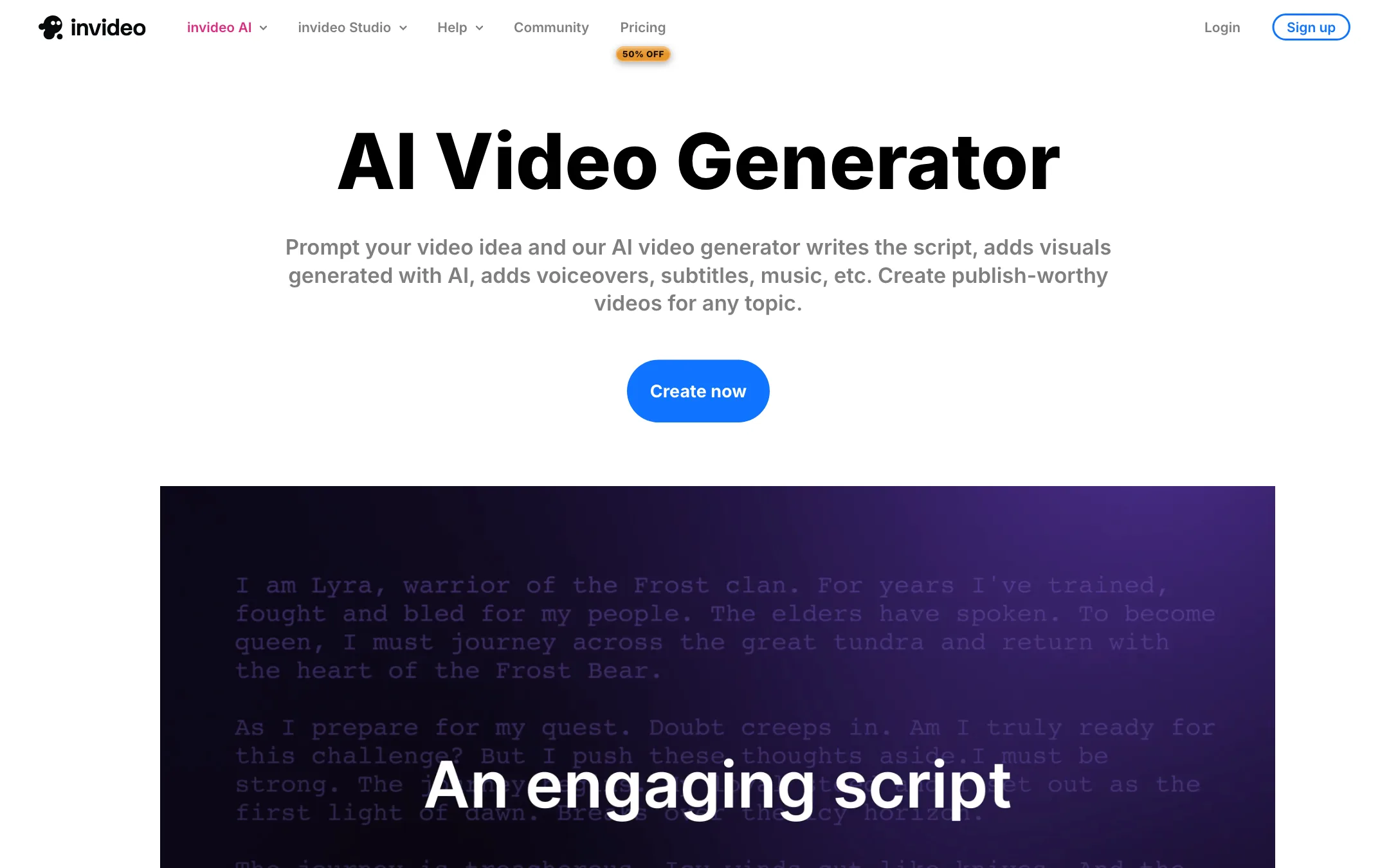
The original invideo AI workflow still works. You pick a workflow, describe your video, and set the audience, platform, length and voice. invideo writes the script, pulls or generates visuals, adds a voiceover, subtitles and music, and hands you a draft.
From there you edit with what invideo calls the magic box. You type commands like “delete scene,” “change the accent” or “add a funny intro.” invideo says its voiceovers cover more than 50 languages.
This is the fastest way to a faceless explainer or a YouTube video built on stock footage. It is also where results vary the most, because the quality depends on what stock or generated footage matches your script.
Starting from your own agent
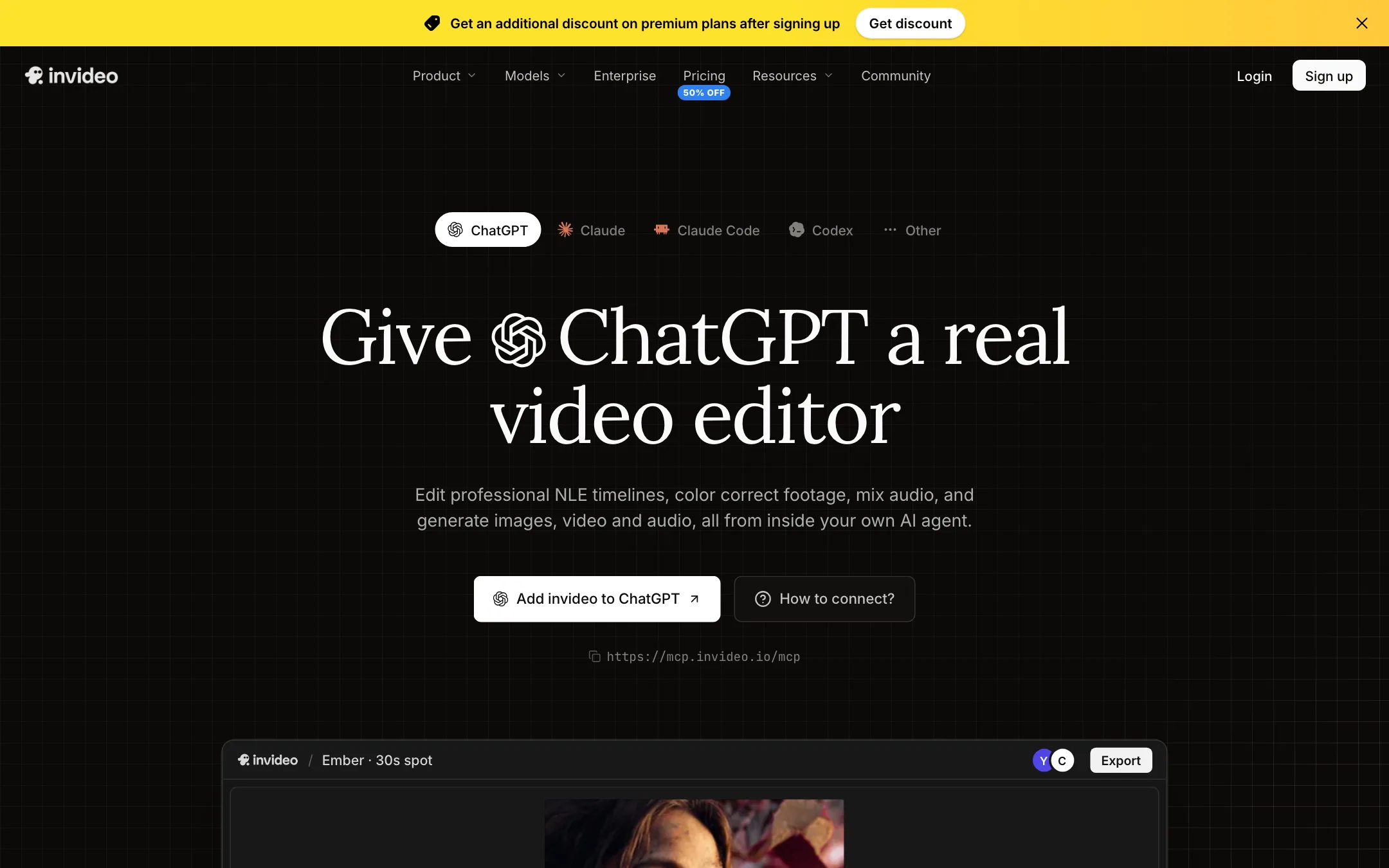
invideo runs an MCP server, so you can connect Claude, ChatGPT, Claude Code, Codex, Cursor or another MCP client. You sign in with your invideo account and your agent opens a project in the editor. Each edit shows up under a cursor with your agent’s name, and you can keep working alongside it.
We did not test this connection. It is an unusual feature, and it makes sense if your team already works inside one of those agents all day.
Planning tools
Around the editor sit a script writer with an AI co-writer, a storyboard tool that turns a script into a shot list before you generate anything, and custom agents. invideo describes custom agents as roles you define, like a cinematographer, sound designer or colorist, that you can reuse across projects.
Output quality
We have not edited a project in invideo hands-on, so we cannot tell you how well Agent Two cuts compared with a human editor. Here is what we can say from invideo’s own materials and pricing.
Generated clips are only as good as the model you pick. invideo does not train the video models in its menu. When you generate a clip with Seedance 2.5 or Veo 3.1 inside invideo, you are getting that model’s output. invideo says all models are charged at their original API pricing. Compare model quality on public leaderboards and in each model’s own app before you spend credits.
Prompt-to-video depends on stock matching. The classic workflow assembles scenes from a library that invideo says holds more than 16 million stock photos and videos, plus AI visuals. Expect to swap some scenes when the match is off.
The timeline is the safety net. Whatever the agent does, you can open the timeline and fix it. That is the main reason we would trust invideo for client work over a pure one-shot generator.
Agents are plan-gated. Starter only gets Agent Two Lite. Pro and Ultra agents need Plus or Max. invideo does not explain the difference in detail on the pricing page, so if the agent is the reason you are buying, test on Plus.
Pricing
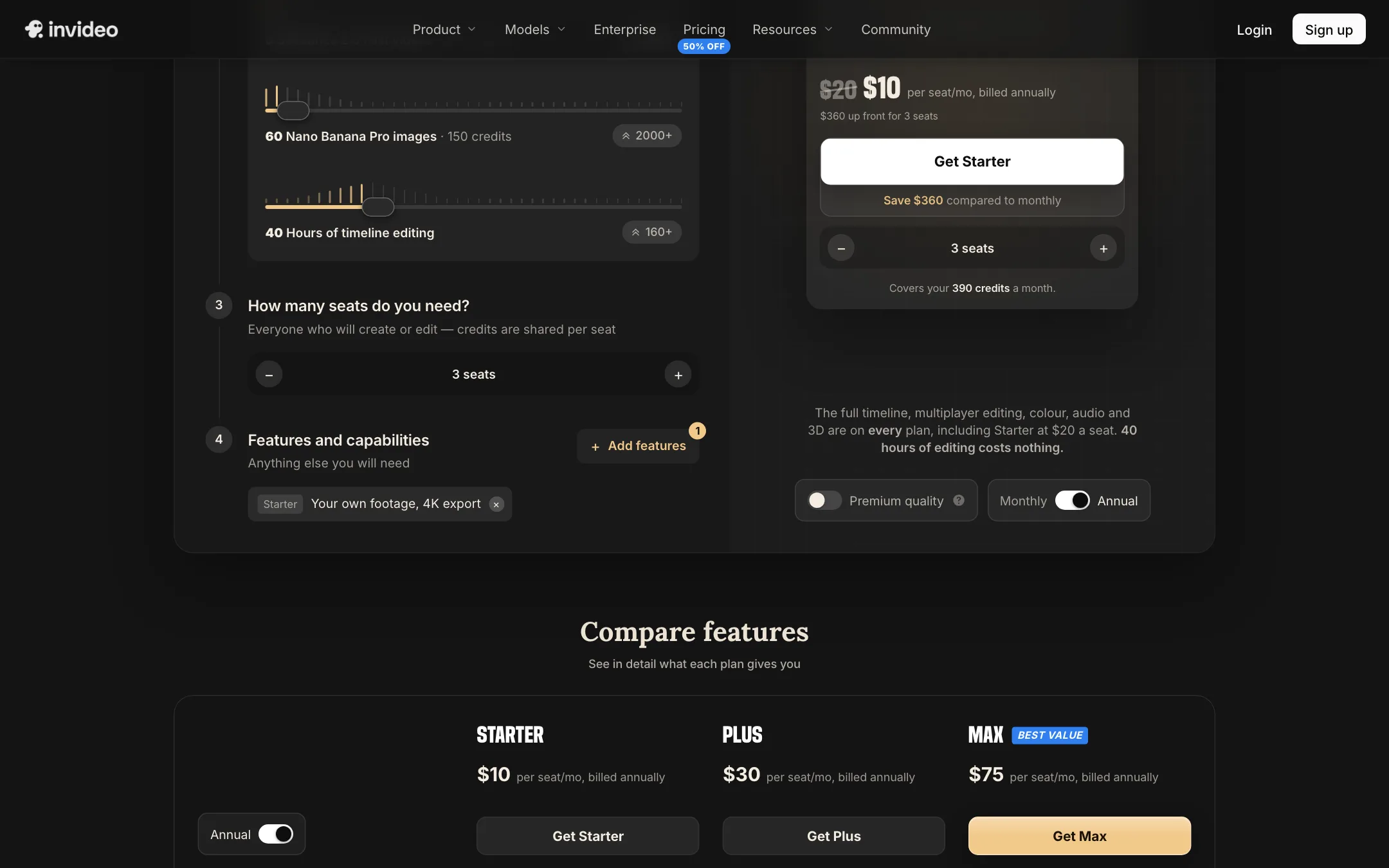
invideo prices by seat and by credits. Each seat gets a monthly credit allowance. Credits pay for generations and premium features. Timeline editing does not use credits, and invideo says downloading your own content never does.
| Plan | Price | What you get |
|---|---|---|
| Free | $0 | Weekly-limited usage, per the help center |
| Starter | $10/seat/mo yearly, $20 monthly | 400 credits, timeline, Agent Two Lite, Seedance 2.0 Fast and Mini |
| Plus | $30/seat/mo yearly, $60 monthly | 2,000 credits, all agents and models, 10 guest seats |
| Max | $75/seat/mo yearly, $150 monthly | 5,000 credits, lowest cost per credit, 20 guest seats |
Prices were read from invideo’s pricing page on October 19, 2026. At that time the yearly prices were marked 50% off, and Max showed a first-month discount to $135 on monthly billing. Treat both as promotions that may end.
To put the credits in context, invideo’s own calculator listed these costs:
- Seedance 2.5 at 720p: about 56 credits per 5 seconds.
- Seedance 2.5 at 1080p: about 96 credits per 5 seconds.
- Seedance 2.0 Fast: about 30 credits per video.
- Nano Banana Pro image: about 2.5 credits.
By invideo’s math, Starter’s 400 credits cover about 15 Seedance 2 Fast videos a month, Plus covers about 52 Seedance 2 videos and Max about 131. Its help center adds that a quick Kling 2.6 Standard clip might cost 5 credits while a 4K Veo 3.1 clip with audio can cost more than 100.
A few things to know before you pay:
- Credits do not roll over. Unused plan credits reset each month on the day you subscribed, including on annual plans.
- Extra credits are their own system. On paid plans you can enable a pre-paid balance, starting at $5, with volume discounts from $50 and optional auto-reload. The balance lasts 12 months but expires if you cancel, and it is not refundable.
- Starter is limited. No Seedance 2.5, no Seedance 2.0 at full quality, and only the Lite agent. If you want the full feature set, Plus is the real starting plan.
- Plan names are inconsistent. invideo’s help center still lists plans called Basic, Pro, Pro 2x, Ultra, Ultra 2x and Ultra 3x with different prices. The pricing page shows Starter, Plus and Max. Go by what the checkout shows you.
- Credit prices can change. The help center says invideo can update model and agent costs at any time without notice.
Refunds and cancelling
Cancelling stops the next renewal. Your plan stays active until the end of the period you paid for, then your account drops to Free. Unused credits, including purchased add-ons, expire. invideo says refunds are pro-rated, usage based and reviewed case by case through support.
Verdict
invideo is one of the few tools on this site that tries to be a complete editor and a model hub at once. The timeline, project export to desktop editors and the MCP connection make it more serious than most AI video apps. The bundled models make it a convenient way to try Seedance, Veo or Kling without separate subscriptions.
The catch is the pricing structure. Credits reset monthly, the cheapest plan hides the best agents and models, and the plan names in the help docs do not match the pricing page. Start on the free plan, try the exact workflow you need, then go straight to Plus if the agent earns its keep.
