What Short AI is
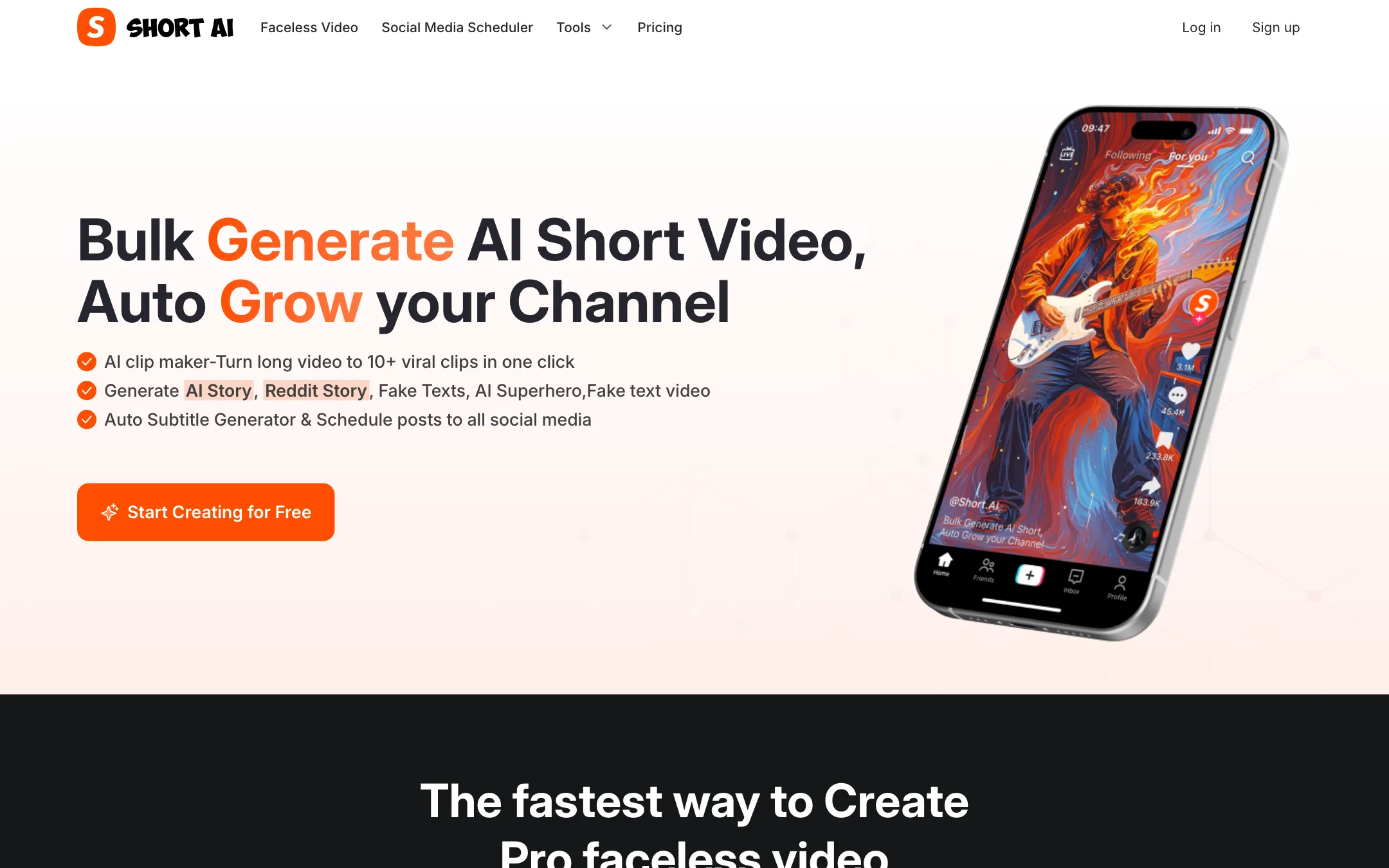
Short AI is a web app for making faceless short videos in bulk. You pick a format, like an AI story, a Reddit story or a fake text conversation, give it a script or a topic, and it builds a vertical video with voiceover, visuals, music and captions.
It also does three other jobs that faceless channels need. It cuts long videos into short clips. It adds animated captions to footage you upload. And it schedules posts to your social accounts.
That bundle is the point. Most faceless creators stitch together a script tool, a voice tool, a caption tool and a scheduler. Short AI puts all four behind one login and one credit balance.
Who it is for
Short AI fits you if:
- You run, or want to start, a faceless TikTok, Shorts or Reels channel in a proven format like Reddit stories, scary stories or text-message drama.
- You want to post often and care more about volume and consistency than about a unique look.
- You need captions on your own talking-head clips and do not want a separate caption subscription.
- You manage several channels and want scheduling bundled in.
Skip it if:
- You want original, cinematic AI footage. Short AI is a template engine first. For generated scenes, look at our text-to-video list.
- You want to try before you pay. There is no free creation plan on the pricing page.
- You edit podcasts or webinars that are hours long. The 300MB upload cap on Basic and Pro is tight for long source files.
How it works
The navigation splits Short AI into a few areas: Faceless Video, AI Clip Maker, Social Media Scheduler and a Tools menu. The creation screens sit behind a login, so the walkthrough below follows Short AI’s own descriptions and its public tool pages, not a hands-on session.
Faceless videos
The faceless creator is the core product. Short AI lists these formats:
- AI Story: a narrated story with AI-generated images.
- Reddit Story: a Reddit post read aloud over background footage, the classic gameplay-background format.
- Fake Texts: an animated chat conversation, with a fake Instagram message variant.
- Dialogue Video: two characters talking, built from a dialogue script.
- AI Superhero and cartoon-talk formats, plus “text to brainrot” and Minecraft background videos.
A typical run looks like this:
- Pick a format.
- Write a script, paste a URL to turn into a script, or start from one of the 50+ script templates. Short AI’s templates are tied to viral hashtags such as animal rescue, Bible stories and cat memes.
- Choose a voice and a visual style.
- Generate. Short AI says generation takes about one to two minutes.
- Download from My Project or send it straight to the scheduler.
AI scripts are unlimited on every plan, so you only spend credits when you render a video.
AI clip maker
Upload a long video and Short AI picks out the parts it thinks will work as shorts. It looks for hooks, insights and reactions, then adds captions and reframes for vertical. Short AI says it works for podcasts, speeches, webinars, interviews, tutorials and gameplay, and markets it as turning one long video into ten or more clips.
This is a younger part of the product. The homepage FAQ still lists “turning long-form videos into clips” under features in development, even though the clip maker is now live in the navigation. Expect it to be less mature than dedicated clip tools.
Auto captions
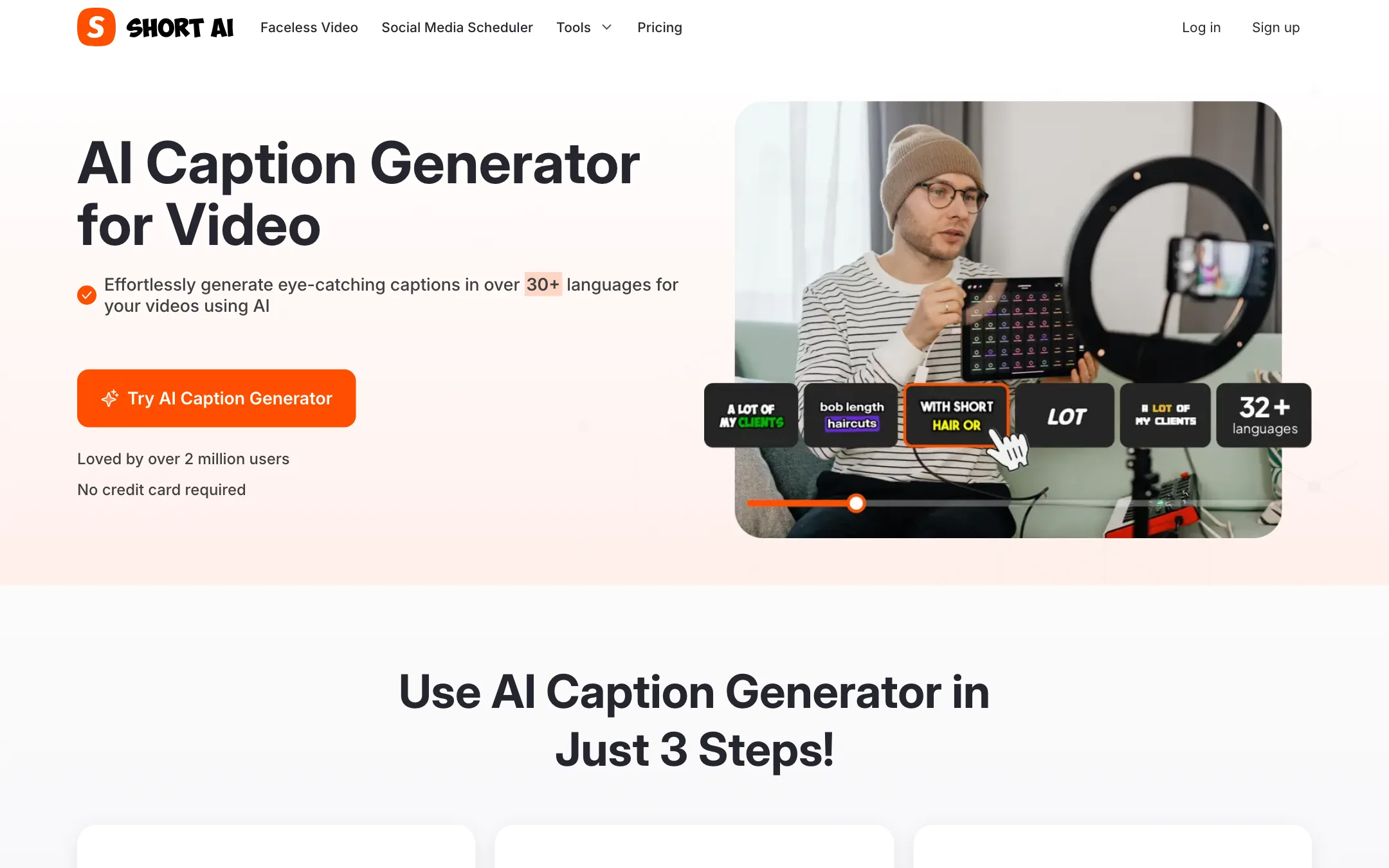
The caption generator is the most broadly useful piece. You upload a video, pick a language, and Short AI transcribes it and burns in animated captions. It offers 14+ styles, including the bold, word-by-word look popularized by creators like Alex Hormozi, plus emojis, GIFs and keyword highlights. You can fix timing, correct words and change fonts and colors before export.
Short AI claims over 99% speech-to-text accuracy and support for 32+ languages. Treat the accuracy figure as a vendor claim. Accents, music under the voice and jargon all lower transcription quality in every tool.
Social media scheduler
The scheduler is a separate product with its own Channel Plan. It posts to TikTok, YouTube, X, Facebook pages, Instagram, LinkedIn and Pinterest. The free tier covers three channels, three posts a day each, and ten queued posts per channel. The creation plans also include posting to TikTok, YouTube, Instagram and Facebook.
AI model pages
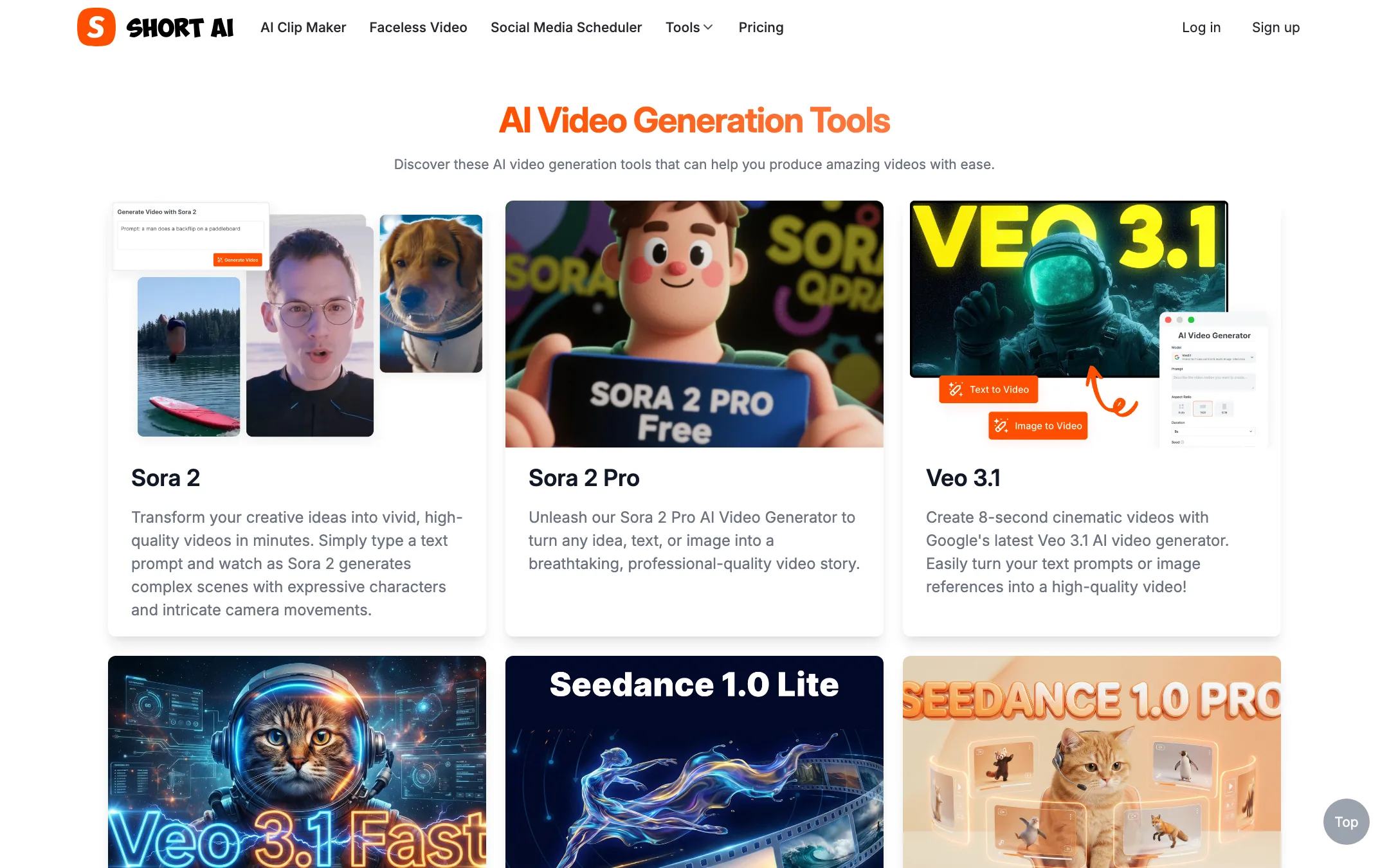
Short AI also has pages for third-party generators: Veo 3.1, Kling 2.5 Turbo Pro, Wan, Seedance and Nano Banana Pro for images. These sit outside the faceless workflow. The pricing page does not list their credit costs, so check inside the app before you rely on them. The AI video page also still advertises Sora 2, which OpenAI has since retired from its API, so treat that list as possibly out of date.
Output quality
We have not rendered videos with Short AI, so we cannot vouch for output quality. Here is what you can judge from the outside.
The formats are well chosen. Reddit stories, fake texts and narrated AI stories are some of the most common faceless formats on TikTok and Shorts. Short AI’s examples look like what those channels post.
That cuts both ways. Template formats are easy to make and easy to copy. The same tools are available to everyone, so the script and the story are what set your channel apart. Short AI’s unlimited AI scripts help you draft, but a generic AI script gives you a generic video.
On voices, Basic includes only “basic” voices. Pro and Enterprise add “pro” voices. Short AI does not name the voice provider on its public pages. If narration quality matters to your niche, start on Pro.
Short AI’s homepage makes strong claims: ten hours saved a week, 50% more engagement and “99% earnings growth.” These are marketing numbers with no method behind them. Your results depend on your niche, your scripts and the platform’s algorithm, not on the tool.
Pricing
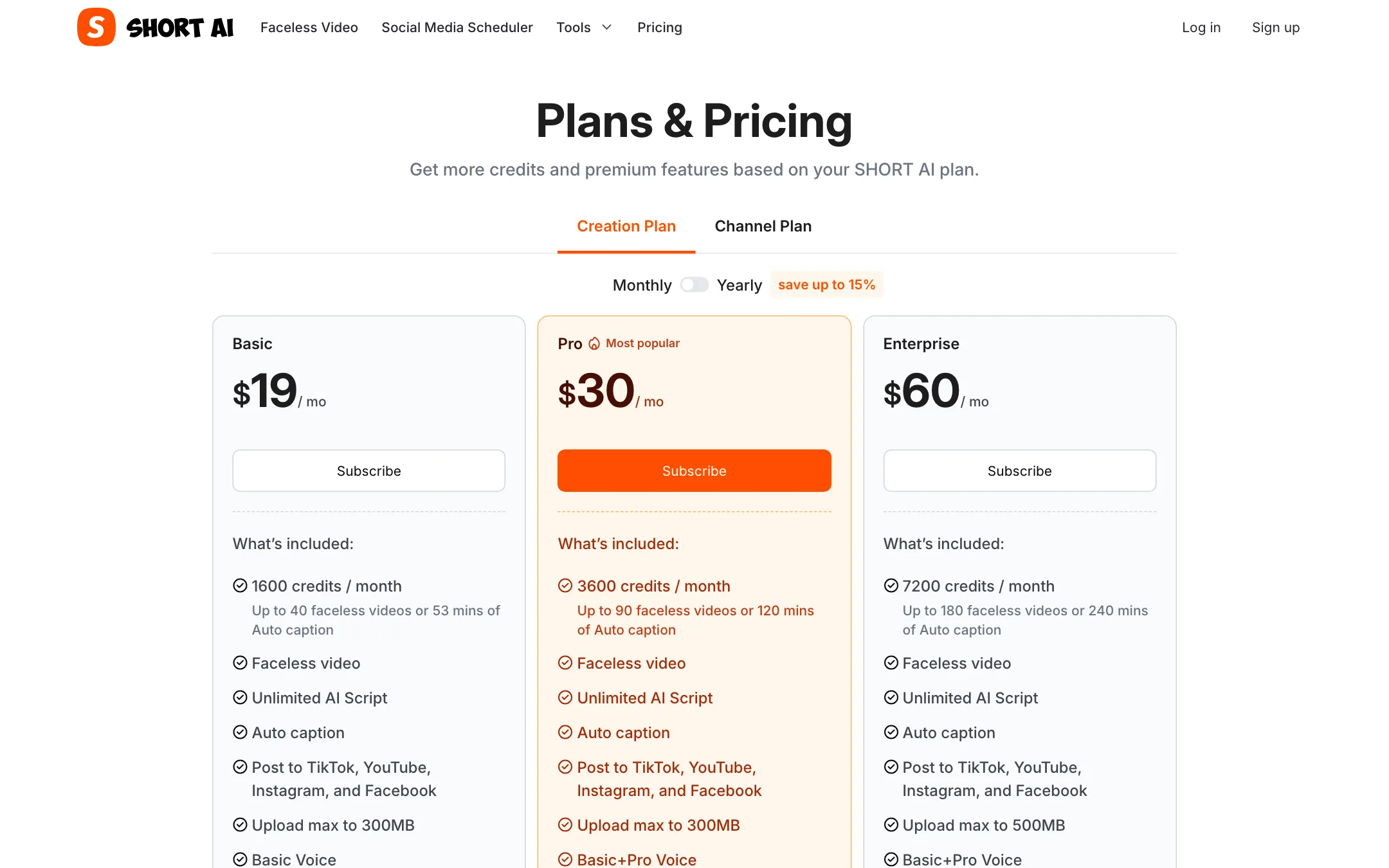
Short AI has two price lists: a Creation Plan for making videos and a Channel Plan for the scheduler. We checked both on 2026-10-19.
| Plan | Price | What you get |
|---|---|---|
| Basic | $19/mo | 1,600 credits, about 40 faceless videos, basic voices |
| Pro | $25.50/mo yearly, $30 monthly | 3,600 credits, about 90 videos, pro voices |
| Enterprise | $51/mo yearly, $60 monthly | 7,200 credits, about 180 videos, 500MB uploads |
| Scheduler Basic | Free | 3 channels, 3 posts a day each |
| Scheduler Essentials | $15/mo for 3 channels | Unlimited scheduled posts, +$5 per extra channel |
What credits buy
Short AI publishes its credit costs, which is more than many competitors do:
- Faceless videos (AI story, dialogue, Reddit story, fake texts): 20 credits per 30 seconds.
- AI superhero videos: 20 credits per video, images not included.
- Auto captions: 30 credits per minute.
- AI clip maker: 20 credits per minute of source video.
So a one-minute Reddit story costs about 40 credits. A 20-minute podcast run through the clip maker costs about 400 credits, a quarter of the Basic allowance.
Things the pricing page does not make obvious
- Basic does not get cheaper yearly. It shows $19 on both toggles. Only Pro and Enterprise drop, by about 15%.
- Captions and videos share one pool. If you caption a lot of long footage, you make fewer faceless videos that month.
- The scheduler is billed separately if you need more than the free tier. Creation plans post to four platforms. The scheduler covers seven.
- No free creation tier is listed. The homepage says “Start Creating for Free” but does not say how much you can make before paying.
Getting the most from your credits
- Write tight scripts. Faceless videos are billed per 30 seconds. Cutting a script from 75 to 60 seconds saves a full billing step.
- Draft scripts freely. AI scripts do not use credits, so iterate on the script before you render.
- Trim before you clip. The clip maker charges per minute of source, so cut intros and dead air first.
- Use the free scheduler tier before you pay for Essentials. Three channels is enough for many solo creators.
Verdict
Short AI is a sensible pick if you run faceless channels in established formats and want one tool for scripts, rendering, captions and scheduling. Published credit costs make it easy to know what $19 or $30 buys, and the free scheduler tier is a nice extra.
Its limits come from the same design. It is a template engine, so your channel will only stand out if your scripts do. The clip maker is newer than the faceless tools, and there is no free creation plan to test with. If you mainly need captions on your own footage, a caption-first tool may suit you better. If you want faceless channels that run on autopilot, Short AI is a solid, affordable option.